psion
Psion Series 5mx apps

New programs for the Psion Series 5mx, the 1999 palmtop: SSH, email, the web, screen sharing to a phone and Linux, written to look and work like Psion’s own programs. Most of them reach the internet through a small Wi-Fi modem that plugs into the Psion’s serial port, or through the Psion’s own dial-up connection.
They are free. If they bring your Psion back to life, you can buy me a coffee.
Status: early beta. Every program here has only been tested on a Psion Series 5mx. Expect rough edges, and keep a backup of anything on the Psion you care about.
Downloads
The newest build of each program. Install a .sis file on the Psion from a CF card or with PsiWin, or let the programs update themselves once one is installed.
| Program | Version | Download | All files |
|---|---|---|---|
| PsiTerm | 0.95 | PsiTerm.sis | psiterm dist folder |
| PsiMail | 0.92 | PsiMail.sis | psiterm dist folder (still released there, so the installed program keeps updating) |
| PsiWeb | 0.76 | PsiWeb.sis | psiterm dist folder |
| PsiCast | 0.18 | PsiCast.sis | PsiCast releases |
| PsiLinux | 0.22 | PsiLinux.sis | PsiLinux releases (the Linux files come as several more .sis files) |
| PsiConnect firmware (AtomS3R) | 2.3 | first flash, update | How to flash it |
The PsiConnect firmware here has PsiCast built in. To build it yourself, or for the other Atom boards, see its repository.
Available now (early beta)
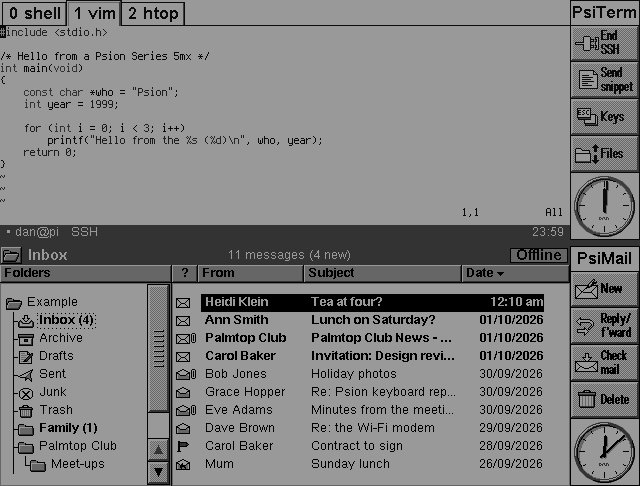
PsiTerm: SSH terminal
An SSH client and terminal (xterm-256color) with modern encryption, saved servers, SSH keys made on the Psion, file transfer over the same connection, and tmux windows shown as tabs. Fast enough for tmux, vim and htop on a 36 MHz palmtop.
github.com/danieledge/psiterm · Download PsiTerm.sis
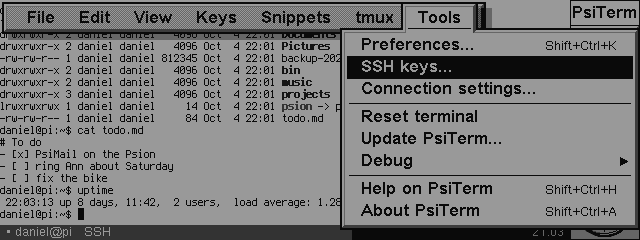
PsiMail: email and calendar
Email for any IMAP and SMTP server with TLS, laid out like the built-in Email program. HTML mail and pictures shown on the Psion, attachments, drafts, Undo, up to four accounts, meeting invitations into the Agenda, and two-way calendar sync between the Agenda and a CalDAV server such as Fastmail’s.
github.com/danieledge/psimail · Download PsiMail.sis
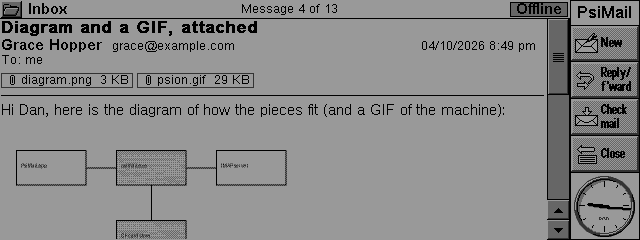
PsiWeb: web browser
A web browser built on Links 2: HTML with some CSS, https, and JPEG, PNG and GIF pictures when you ask for them. Light sites suit it best. PsiMail opens its links in it.
github.com/danieledge/psiweb · Download PsiWeb.sis
PsiCast: the Psion’s screen on your phone
Shows the Psion’s screen live in a phone’s web browser, in colour if you like: the Series 7 and Modern themes colour the title bars, buttons, menus and icons as if the Psion had a colour screen. The person watching can tap and type on the Psion if you allow it, and the Psion can be your phone’s Bluetooth keyboard.
github.com/danieledge/psicast · Download PsiCast.sis
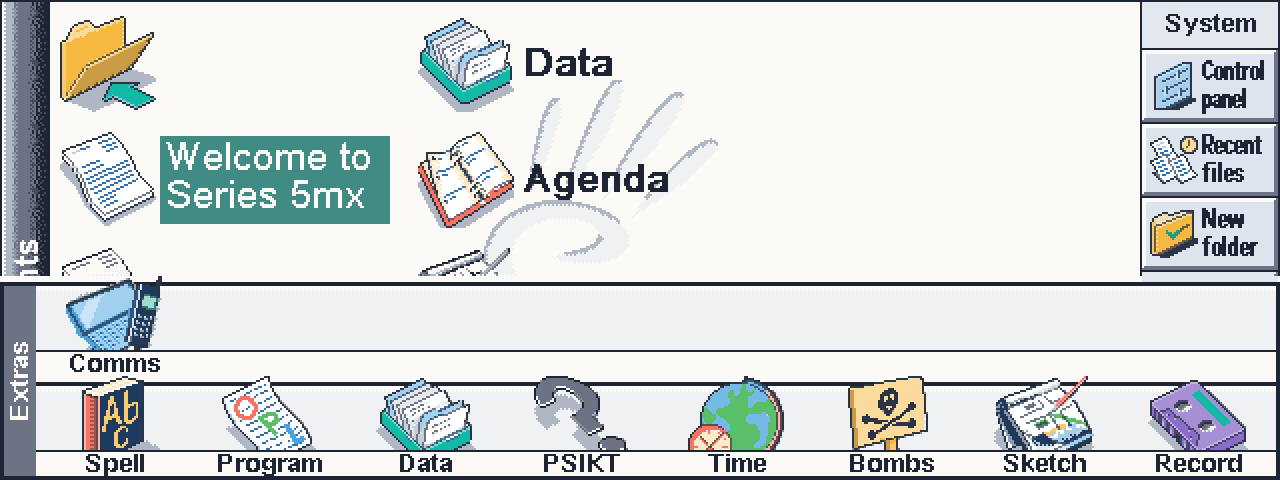
PsiLinux: Linux on the Psion
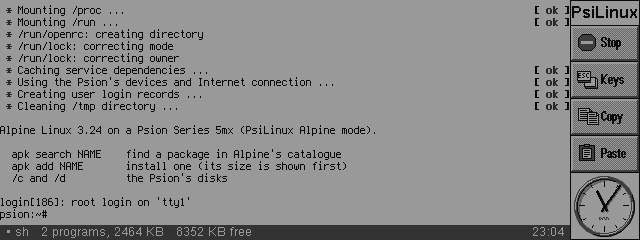
Runs real Linux programs on the 5mx, with no Linux kernel: a small layer gives them Linux’s system calls on top of EPOC, much as WSL1 does on Windows. Alpine Linux boots on it, with its shell and programs such as fastfetch and cmatrix.
github.com/danieledge/psilinux · Download the latest release
PsiConnect: the Wi-Fi modem
Firmware that turns an M5Stack Atom (AtomS3R, AtomS3 Lite or the original Atom) on an RS232 base into a modem for the Psion. It joins your Wi-Fi or your phone’s hotspot and does the heavy work the Psion can’t: TLS for mail, shrinking pictures to 16 greys, a web proxy, Psion Internet (PPP), a VPN home, and PsiCast’s screen sharing.
github.com/danieledge/psiconnect · Download the AtomS3R firmware
PsiProxy: an optional helper on your computer
A small program for a computer on your network that does the heavy work a 36 MHz Psion finds slow: it fetches and slims web pages for PsiWeb, does their TLS, turns pictures into small 16-grey ones, and receives the programs’ logs. None of the programs need it.
github.com/danieledge/psiproxy
psion-core: the shared code
The parts every program uses: the serial and Psion Internet networking, TLS 1.3, the picture decoders, the build environment and the emulator tools. Each program’s repository includes it, so you only need it to build them.
github.com/danieledge/psion-core
Coming soon
These run on my own 5mx and will be published when they are ready.
PsiDesk: desktop Linux programs
Firefox, VS Code, LibreOffice and other desktop programs on the Psion’s screen in 16 greys. They run on a server of yours; the Psion shows them and sends the pen and the keys back, with menus, a toolbar and dialogs like the Psion’s own programs.
PsiCall: call notes
Records a phone call played through a speakerphone, using the Psion’s own microphone. When the call ends, a transcript and a summary come back to the Psion and by email: what was decided, who will do what and by when, and what is still open.
PsiInstall: install and update everything
One list on the Psion of all these programs, with the version on the Psion and the newest available. Tick the ones you want and it downloads, checks and installs them in turn.
PsiConnect for the Psion: set up the modem
Sets up the Wi-Fi modem from the Psion itself: scan for networks, pick one, type its password and join, see the modem’s status, and change its other settings without a phone or a computer.
What you need
- A Psion Series 5mx (EPOC Release 5).
- For the internet: the Wi-Fi modem above, another Hayes-style serial Wi-Fi modem, or the Psion’s own dial-up (PPP).
Each repository explains how to install its program.